
How Auto Roulette Works on s80
Auto Roulette is a live table where you decide how many spins to play and what bets to place on each spin. Instead of clicking for every round, you configure your settings once, then let the table execute your plan. The wheel still spins at normal speed — each round takes the same time as manual play. The automation just removes the clicking.
When you enter the s80 Auto Roulette table on your phone, you see the live wheel, the croupier, and a control panel below. Tap "Settings," choose your bet amount and number of spins, then tap "Start." The table places your bet automatically on each spin. You can stop at any time by tapping "Stop" or waiting for the sequence to complete.
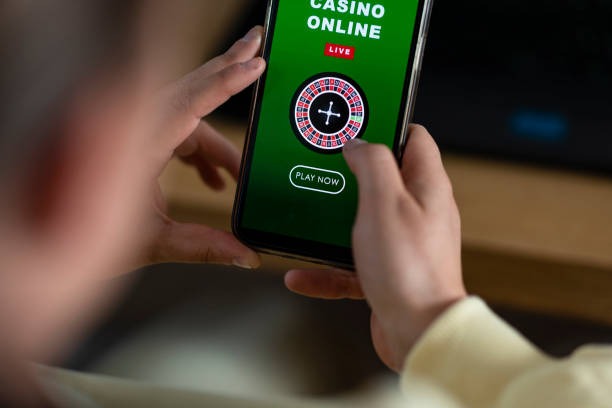
Automation Settings on s80
Our s80 Auto Roulette control panel lets you set three parameters: bet amount, number of spins, and bet type. Bet types include red/black, odd/even, and specific numbers. Once you confirm, the automation begins and runs until the sequence ends or you stop it manually.
Your balance updates in real time as each spin settles. Winnings are added instantly; losses are deducted from your account. You can watch the live camera feed continuously to see the wheel and croupier actions.
Mobile Experience: Android and iOS Setup
Auto Roulette on s80 is optimized for mobile. Whether you use Android or iOS, the table loads in seconds and uses minimal bandwidth. Our app runs on Android via direct APK download; iOS users access s80 through a mobile-optimized browser link that can be bookmarked to the home screen.
-
1
Android: Install and LaunchStep 1
Download the s80 APK from s80.best, enable installation from unknown sources in your device settings, and install the app. Open it, log in with your email and password, and navigate to Live Casino → Auto Roulette.
-
2
iOS: Browser and Home Screen ShortcutStep 2
Open Safari on your iPhone or iPad, go to s80.best, and tap the share button. Select "Add to Home Screen" to create a web-app shortcut. Tap the icon to launch s80 in full-screen mode. Log in and select Auto Roulette from the Live Casino menu.
-
3
Enable Push NotificationsStep 3
Allow push notifications so you receive alerts when your Auto Roulette sequence completes or your balance drops below a threshold. You can customize notification types in settings.
Data usage for Auto Roulette is low — live video streams at roughly 2–3 MB per hour on standard quality. If you're on a limited plan, reduce video quality in your app settings. The automation works the same way regardless of video resolution.
Auto Roulette vs. Manual Play on s80
Auto Roulette and manual roulette use the same live wheel and croupier. The only difference is that automation removes the clicking. Results, odds, and payout rules are identical.
Deposits and Withdrawals for Auto Roulette Play
Before you play Auto Roulette on s80, you need an account with a funded balance. We accept eight payment methods: DANA, e-wallet, mobile banking, local payment, online payment, e-wallet, and direct bank transfers via mobile banking, local payment, online payment, and e-wallet. Each method processes subject to verificationly; withdrawals enter a review queue and settle within a standard verification window.


To deposit for Auto Roulette play, open your s80 account on your phone, tap the wallet icon, and select your payment method. mobile banking, local payment, and online payment redirect you to their app or web login. Confirm the transaction, and your balance updates immediately. Bank transfers require you to send funds to our virtual account — deposits typically match within minutes.
Withdrawals work in reverse. Tap "Withdraw," choose your payment method, and enter the amount. We verify your KYC details, then process the transfer. Most withdrawals clear within a standard review window. Exact timing depends on your bank and payment method. Users in Jakarta, Surabaya, and Bandung often prefer e-wallet transfers for faster settlement.
Our s80 Auto Roulette system combines live gameplay with hands-free automation, letting you play at your own pace while the table manages the spins.
Account Security and KYC Verification
When you open an s80 account, we collect your name, email, phone number, and date of birth. All data is encrypted in transit using SSL and stored on secure servers. We never display your password in plain text, and your payment credentials are never visible in our interface.
KYC (Know Your Customer) verification is required before your first withdrawal. Upload a photo ID and a recent utility bill or bank statement showing your address. Our team reviews these documents within a standard verification window. Once approved, you can withdraw to any supported payment method.
Password reset is available 24/7. Tap "Forgot Password" on the login screen, and we send a reset link to your email. Click the link, create a new password, and log in. If you lose access to your registered email, contact our support team with proof of identity, and we will help you regain access to your account.
During holiday periods like Idul Fitri, Idul Adha, and Imlek, some banks may have reduced hours, which can delay withdrawal processing. We still maintain full security protocols regardless of the season.
Auto Roulette Alongside Other s80 Games
Our s80 live casino includes blackjack, baccarat, roulette (manual and auto), and Dragon Tiger. Auto Roulette is one variant of our roulette offering — you can also play standard roulette where you click for each spin. Both tables stream from the same studio with multiple camera angles.
You can switch between Auto Roulette and our sportsbook in seconds. If you want to place a Liga 1 bet while waiting for the roulette sequence to complete, tap out to the sportsbook menu, place your bet, and return to the table. Your balance updates across all products instantly.